IPHONEPILOT AI
Let your AI agent
control your iPhone.
iPhonePilot AI, a setup guide and support — $79.
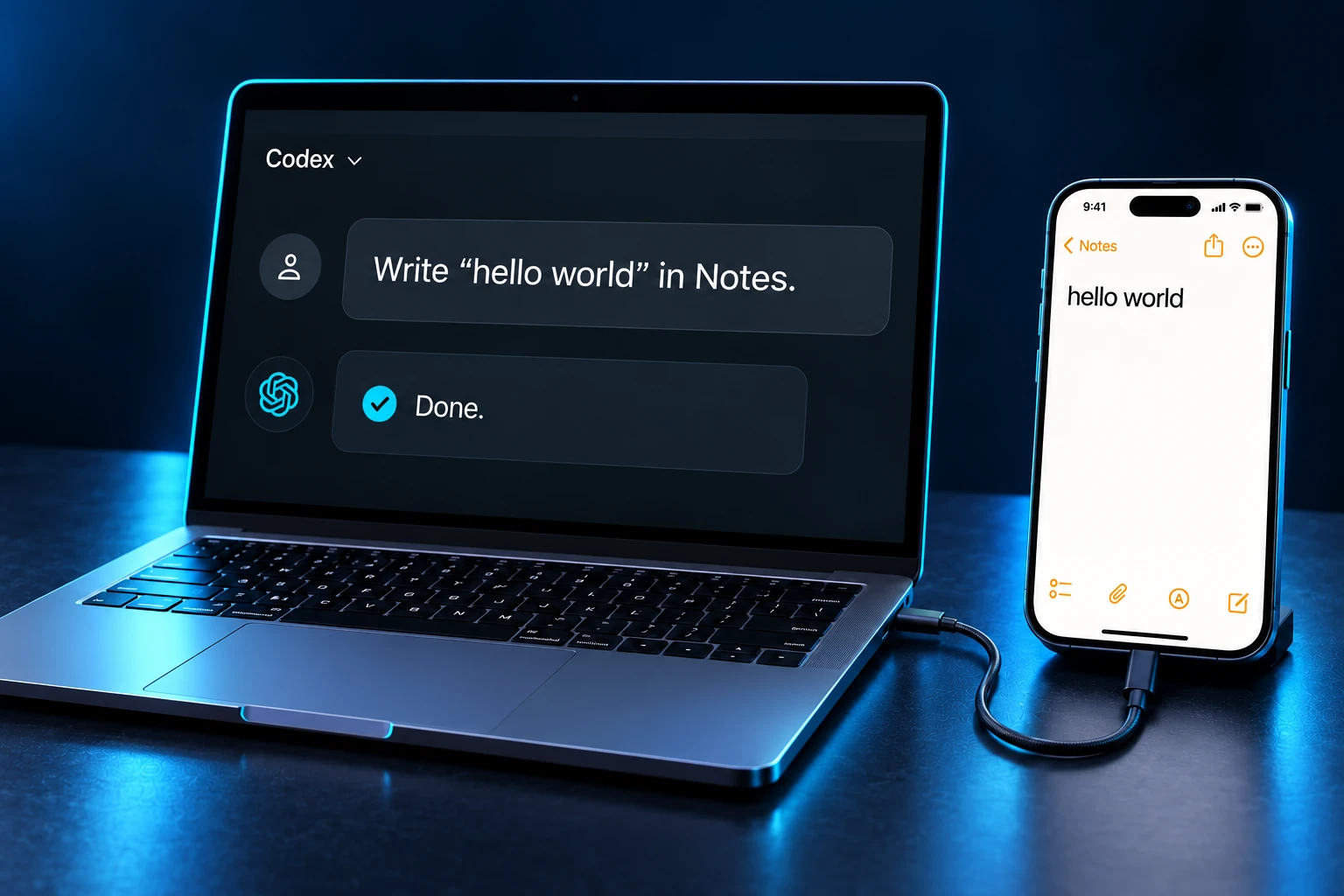
Connect your iPhone by USB and describe a task in Codex or Claude Code. iPhonePilot AI lets your agent carry it out on the phone.
AI service costs are separate
Not working on a compatible device? Get a full refund.14-day money-back guarantee.
Runs through Codex or Claude Code on your computer. Connect your iPhone by USB. Check compatibility →
DEMONSTRATION
Watch the agent
use an iPhone.
Real iPhone demo.
Video coming soon.See AI open apps, tap and type on a real iPhone.
The video could not be loaded. Check your connection and try again.
EXAMPLE TASKS
Tasks you can give your agent.
On your iPhone.
Prepare an Instagram Story with this photo and the text “New launch 🚀”. Show me the preview. Do not post without my approval.
BEFORE YOU START
Three steps
to connect your iPhone.
- 01
Install iPhonePilot AI.
Give the downloaded ZIP to Codex or Claude Code on your computer and ask it to install iPhonePilot AI.
- 02
Connect your iPhone.
Connect an unlocked iPhone by USB and trust the computer. Enable Developer Mode if required and approve the system prompts.
- 03
Verify control.
Ask the agent to create a note on your iPhone, then check the result.
Minimum requirements
Check your computer, AI agent and iPhone before buying. The Codex or Claude Code app may have additional system requirements.
- Windows
- Windows 10 version 2004 (build 19041) or newer, or Windows 11. x64 only; iPhonePilot AI does not support 32-bit Windows or Windows ARM64.
- Mac
- macOS 14 Sonoma or newer, on Intel or Apple Silicon. Operation on a physical Mac has not yet been tested.
- Memory
- At least 4 GB RAM for Claude Code. Your AI agent and other apps may need more.
- AI agent
- Codex or Claude Code running on your computer with file and command access. You need an account with access to your agent and an internet connection.
- iPhone & USB
- An unlocked iPhone and a USB data cable. Trust the computer, enable Developer Mode if needed and approve the system prompts.
- iOS
- Standard setup is available for iOS 17.4+. Earlier versions may need extra steps and a Mac with a compatible version of Xcode.
- Compatibility
- Compatibility depends on your device and iOS version. For iOS below 16 or iOS 17.0–17.3, contact setup support before buying.
Check compatibility.
Copy this prompt into your AI agent.
Show compatibility prompt
Check whether my computer, AI agent and iPhone meet the requirements for iPhonePilot AI: https://iphonepilotai.com/#requirements

Use read-only local checks where available. Ask me only for missing details, such as my iPhone model and iOS version. If you cannot inspect my computer, ask for its OS and architecture and the agent I use. Do not install anything or change settings. Missing installer-provided dependencies or a disconnected phone do not automatically mean incompatibility.

Reply briefly in my language: meets the listed requirements, needs preparation, unsupported, or not enough information. Give the reason and one next step. Meeting requirements does not guarantee a working connection; that is checked after installation.
WHAT YOU GET
What you get
for $79.
Control your iPhone through Codex or Claude Code.Your agent can see the screen, tap, type and swipe. You describe the task and review the result.
- iPhone controlYour agent can open apps, tap, type and swipe.
- SoftwarePython and other required software for Windows and Mac. On Windows, this also includes Apple device support.
- Setup guideStep-by-step instructions for setup and your first tasks.
- Setup supportHelp with installation and connecting your iPhone.
 Preview the guideView page +
Control your iPhone through Codex or Claude Code.
Installation files, a guide and setup help.
No extra charge for each iPhone.
Requires Windows 10/11 x64 or macOS 14+, a local AI agent and an iPhone connected by USB. Check full compatibility →
Your Codex, Claude Code or other AI service costs are separate.
Buy — $79After payment is confirmed, your guide is available on the website and by email. The installation-file download link is inside.
If iPhonePilot AI does not work on a compatible device, contact us within 14 days. Refund terms →
Before you buy.
What do I get for $79?
iPhone control through Codex or Claude Code, installation files, a setup guide and setup help. You pay once.
Will it work with my devices?
You need Windows 10/11 x64 or macOS 14+, a local AI agent and an iPhone connected by USB. Check the requirements and supported iOS versions before buying.
How do I receive the files?
Enter your email at checkout. After payment is confirmed, open the guide on the confirmation page or from your delivery email. The download link is inside the guide.
Are there any additional costs?
iPhonePilot AI is a one-time $79 purchase. Your AI subscription or API usage is billed separately.
Can I use more than one iPhone?
Yes, one at a time, with no fee for each device. Each iPhone needs to be connected and set up separately.
Does the agent remember useful steps?
Your agent can save useful steps on your computer and reuse them for similar tasks.
What if it does not work?
If iPhonePilot AI does not work on a device that meets the requirements, contact us within 14 days for a full refund. Refund terms →